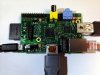
This is a great project I have done my self as well. Raspberry pi is a small computer that the hard drive is a sd card which sd card can be wiped and destroyed. Thats a diffrent storie vs a hard drive nearly impossible. It light weight and small. If you have one you should. Total cost if you get the wifi antenna around 60 bucks. There is alot more to add if you want. You can also make it a media player with xbmc. Or you can make it a game system with a emulator. Really the possibility are endless.
Thanks PI
Raspberry PiBy Kyle Simpkins
For those of you innovators out there looking for your next project, here’s something recently brought to my attention: the do-it-yourself Raspberry Pi. Developers out there have been able to take the modern day computer and make it even smaller. Imagine taking a Mac mini and sticking it in a case the size of an Altoids tin.
The Raspberry Pi is a small computer with an SD card slot that you can load an OS (preferably Linux) on. Once you have the OS on an SD card, connect that so it acts as your hard drive, attach an LCD display (with the proper know-how) and a power supply, and you’ll have a working Linux-based computer capable of normal everyday tasks and basic gaming — all on a machine the size of a credit card.
It’s an open source platform that you can pick up for about $35 and create whatever you want. The creativity that some people put into using the Raspberry Pi is really amazing — some have even gone so far as to create their own version of the Google Glass project, a miniature arcade, and a briefcase laptop!
The Google Glass replication really caught my attention and sparked my imagination. Among the tools used: a set of MyVu crystal video glasses designed for iOS devices, a portable cell phone charger, and a Bluetooth keyboard/trackpad combo. With a Linux operating system and a USB Air-card from your local wireless store, you literally have a wearable computer with a constant connection to the internet (depending on your wireless coverage area).
Now, due to the resources available to open-source platforms like this, a wearable computer has almost endless and certainly exciting possibilities. For instance, connect a webcam to the MyVu glasses and you can stream everything you are doing directly to the internet.
What you create doesn’t have to be a wearable computer. Maybe you miss the Super Nintendo; someone used a Raspberry Pi to rebuild one of those with original Super Nintendo controllers. One guy even created a system to open his garage door using Siri.
The possibilities are endless — what will you create? Below is a link to an article that shows some great Raspberry Pi projects.
10 Great Raspberry Pi Projects.
Thanks PI
Raspberry PiBy Kyle Simpkins
For those of you innovators out there looking for your next project, here’s something recently brought to my attention: the do-it-yourself Raspberry Pi. Developers out there have been able to take the modern day computer and make it even smaller. Imagine taking a Mac mini and sticking it in a case the size of an Altoids tin.
The Raspberry Pi is a small computer with an SD card slot that you can load an OS (preferably Linux) on. Once you have the OS on an SD card, connect that so it acts as your hard drive, attach an LCD display (with the proper know-how) and a power supply, and you’ll have a working Linux-based computer capable of normal everyday tasks and basic gaming — all on a machine the size of a credit card.
It’s an open source platform that you can pick up for about $35 and create whatever you want. The creativity that some people put into using the Raspberry Pi is really amazing — some have even gone so far as to create their own version of the Google Glass project, a miniature arcade, and a briefcase laptop!
The Google Glass replication really caught my attention and sparked my imagination. Among the tools used: a set of MyVu crystal video glasses designed for iOS devices, a portable cell phone charger, and a Bluetooth keyboard/trackpad combo. With a Linux operating system and a USB Air-card from your local wireless store, you literally have a wearable computer with a constant connection to the internet (depending on your wireless coverage area).
Now, due to the resources available to open-source platforms like this, a wearable computer has almost endless and certainly exciting possibilities. For instance, connect a webcam to the MyVu glasses and you can stream everything you are doing directly to the internet.
What you create doesn’t have to be a wearable computer. Maybe you miss the Super Nintendo; someone used a Raspberry Pi to rebuild one of those with original Super Nintendo controllers. One guy even created a system to open his garage door using Siri.
The possibilities are endless — what will you create? Below is a link to an article that shows some great Raspberry Pi projects.
10 Great Raspberry Pi Projects.