Here’s a clean, simple mini-guide for buying Solana -> USDC (Solana network) and sending it:
1. Download Trust Wallet and create a wallet.
2. After setup, go to the SOL token (from popular tokens) and buy about $5 of SOL first. This is just to cover network fees.
View attachment 378067
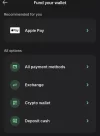
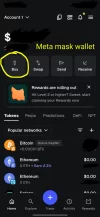
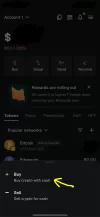
3. Go back to the main screen -> tap Buy (or Fund) -> All payment methods.
View attachment 378068
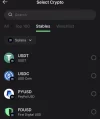
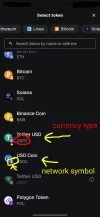
4. Choose Stablecoins -> select Solana network.
View attachment 378069
5. Pick USDC (Solana) or USDT (Solana), whichever you prefer.
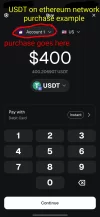
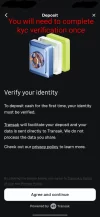
6. Buy the amount you need. You’ll be asked to complete KYC (photo + ID/driver’s license).
View attachment 378070
7. Once the purchase is complete, return to the main wallet screen.
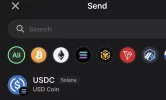
8. Tap Send -> choose USDC (Solana).
View attachment 378071
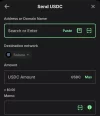
9. Paste the Solana address provided by Q, enter the amount, and send.
View attachment 378072
10. After sending, open the transaction -> tap View on block explorer.
View attachment 378081
11. On Solana, the transaction Hash/ID is called Signature. Copy that long code.
12. Send the Signature to Q as payment confirmation.
That’s it. Simple and fast once you’ve done it once.